Free · open source · for American Truck Simulator

Your tablet becomes the GPS and dashboard of your truck.

Turn-by-turn voice directions with lanes, routes with as many stops as you like, smart fuel, rest and mechanic stops, delivery timing that knows your window, and the switches of your cab, one tap away.

Windows 10/11 · ATS on Steam · any phone or tablet with a browser · no account, no ads

  • Voicein time to react
  • Lanesbefore the junction
  • Smart stopsleast detour
  • On timewindow & deadline
  • Controlsone tap away

Everything a co-driver does, on a second screen

Every animation below is the real app, simulated, so you can see what happens while you drive.

Navigation

Zooms in before every junction, and shows your lane

Far out on the highway so you see the road ahead, gently closer when an exit or a busy interchange comes up, timed by your speed, so there is always time to react. Lane arrows show exactly which lanes lead your way.

  • Speed-based zoom and tilt, map always turns with your truck
  • Lane guidance from the game's own road data
  • Only the states you own, routes never go through DLC you don't have
Voice

A calm voice that tells you once, not every 500 feet

On the highway: one heads-up about a mile before, one right before the turn. In town: one call. Through your PC headset, mixed with the game sound, or from the tablet speaker.

  • Natural offline voice (Piper “Amy”), no internet while driving
  • “…then turn left” when two turns come close together
  • Stops reached, arrivals and suggestions spoken too
Routes

As many stops as you like, always in the best order

Long-press the map to add a stop. Co-Driver sorts them for the shortest trip and still ends at your delivery, add a point closer than stop 1 and it simply becomes the new 1. Hold a pin to remove it.

  • Numbered pins, the delivery always last
  • “Replace route” when you want to go only there
  • No points picked? It always guides you to your job
Smart stops

Fuel, rest or a mechanic: the one with the least detour

Low on fuel, rest timer running out or the truck damaged? Co-Driver checks the stations along your route, routes the best few for real and suggests the one that costs the fewest minutes. One big tap adds it to your route.

  • Fuel only from stations you can still reach
  • Rest stops before your timer runs out
  • Mechanic when damage passes your limit (10 % by default)
Deliveries

Know you'll be on time before you're late

One card for the whole job: cargo and pay, a timeline from now to the deadline with your delivery window, your real arrival including stops and traffic lights, and the cargo damage. In the time zone of the destination.

  • “Too early” warnings for delivery windows
  • How long you can rest and still arrive on time
  • Progress bar for the whole trip
One tap

Deliver, refuel to full or sleep without the keyboard

Stop at a pump, a garage, your delivery spot or a parking lot and a big button appears. One tap fills the tank completely, turns the engine off when the game needs it, or presses Enter for you.

  • Exact spots from the game's own map
  • Smart engine button: electrics → starter → running
  • Lights, wipers, hazards, cruise, radio, windows, horn…
Your cab

Build your own dashboard

Speedometer, rev ring with gear, fuel range, rest timer, warning lights, damage, clock, cards and switches, drag what you want where you want it. Day and night themes, phone or tablet, portrait or landscape: each keeps its own layout.

  • 40+ widgets, drag & drop
  • Real warning-light colours, blinking indicators
  • Big targets, made to be tapped while driving

The real thing

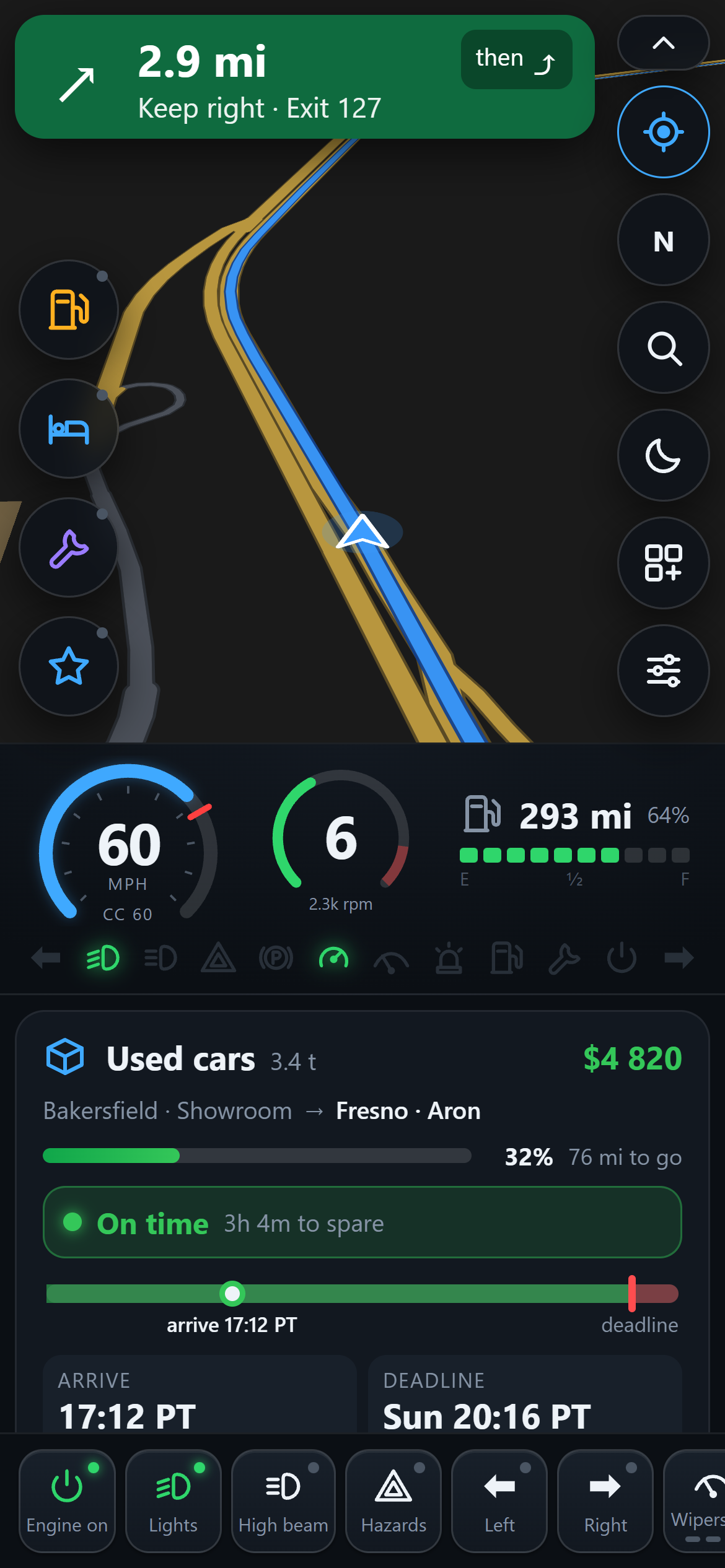
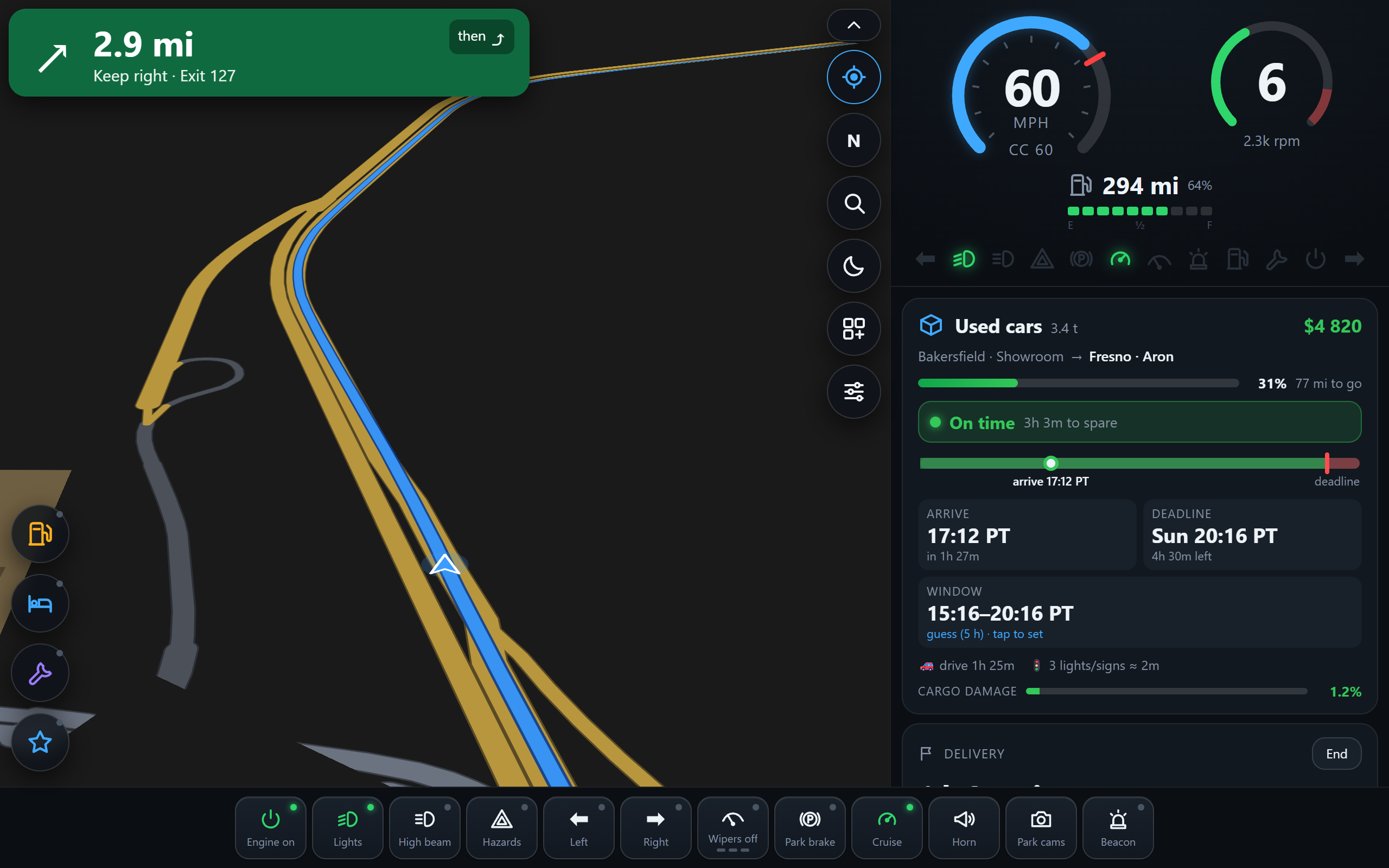
ATS Co-Driver on a tablet: map, gauges, delivery card and switches
Tablet, night theme
ATS Co-Driver on a phone in portrait
Phone, portrait
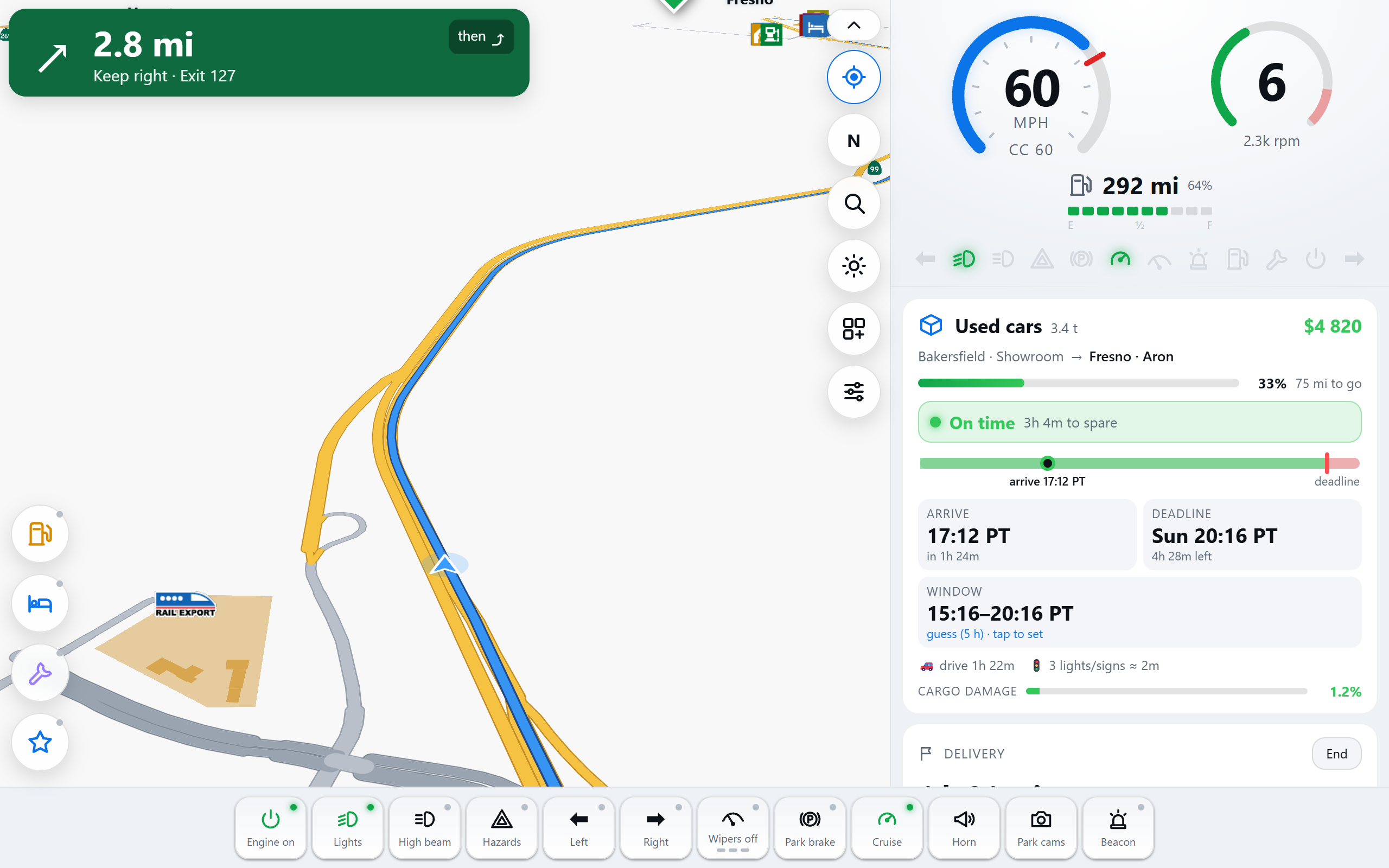
ATS Co-Driver in the day theme
Day theme

Ready in three steps

  1. 1

    Install on your PC

    Run the installer. It finds American Truck Simulator through Steam and adds the small game plugin.

  2. 2

    Start Co-Driver

    The first start builds the map from your own game files (a few minutes, once) and downloads the voice.

  3. 3

    Scan the code

    Point your phone or tablet at the QR code. No camera? Type the address shown. “Add to Home screen” and it opens like an app.

Download ATS Co-Driver

Free forever. No account, no ads, no tracking, everything runs on your PC and your home Wi-Fi.

⬇ Download for Windows (installer, 34 MB)

Windows may show “unknown publisher” for new free tools: click More info → Run anyway.

PCWindows 10/11, 8 GB RAM
GameAmerican Truck Simulator on Steam (any DLC)
ScreenAny phone or tablet with a browser, same Wi-Fi
☕

Enjoying the drive?

Co-Driver is made in free time and given away for free. If it makes your trips better, a coffee helps me keep it updated for new game versions, and build the next project.

☕ Buy me a coffee

Questions

Is it really free?

Yes. Co-Driver is open source under the GNU GPL v3, free to use, share and improve. Donations are welcome but never required.

Does it change my game or my save?

No. It adds one small telemetry plugin to the game folder, the official way SCS offers for dashboards. Your saves are never touched. Uninstalling removes the plugin.

Why does the first start take a few minutes?

Co-Driver builds its map from your own copy of the game (we can't ship SCS's map data). That happens once, and again automatically after game updates or when you buy a new map DLC.

Do I need all the DLCs?

No. Co-Driver reads which map DLCs your game actually loads and only shows, and routes through, the states you own.

Can I keep using the in-game GPS?

Yes. On a plain delivery both guide to the same place. When you add your own stops, turn the game's navigation voice off so you don't hear two voices.

My tablet has no camera.

The PC shows the address (like http://192.168.1.20:8080). Type it into the tablet's browser, with http:// and :8080, while it's on the same Wi-Fi.

Euro Truck Simulator 2?

Not yet, Co-Driver is built for American Truck Simulator for now.